Put your QR code on the counter and earn free credits
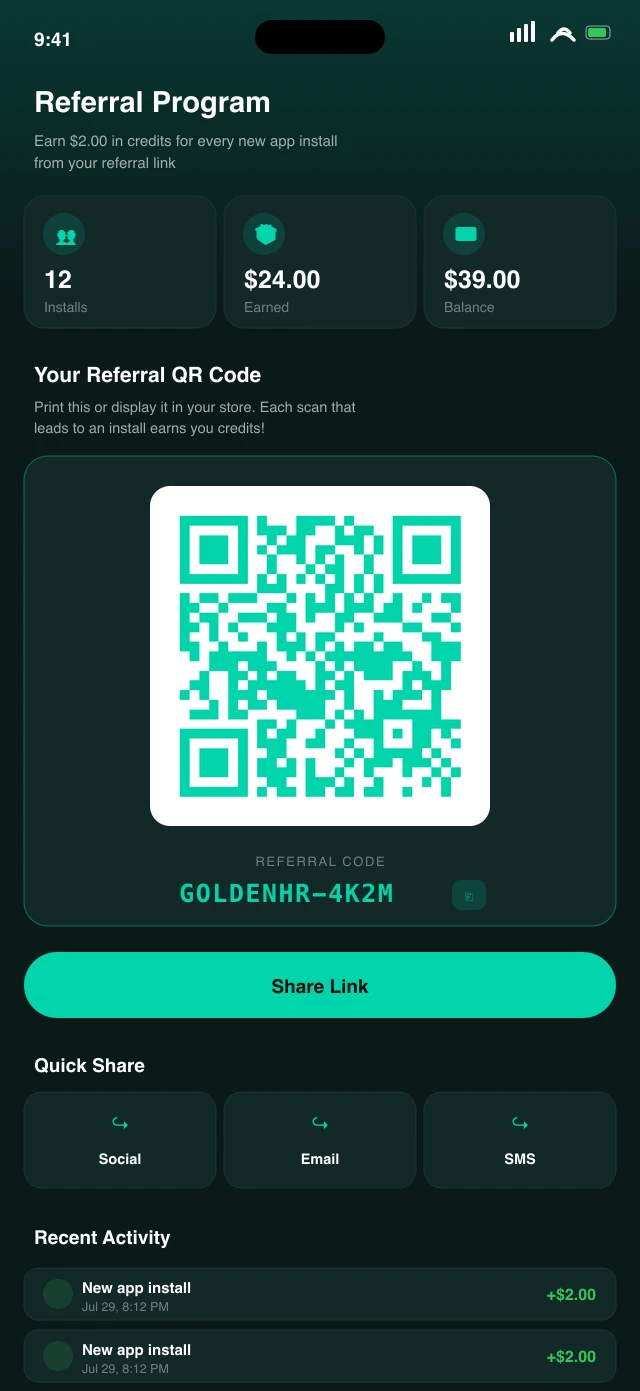
Your referral QR lives in the app under Referrals. Print it, tape it by the till, post it to your socials. Every customer who installs Beam from your code pays credits into your balance, which you spend on your next beam.
It compounds. The customers you bring in see everyone's deals, including yours, every night after.
Write the deal in plain words
"Drinks half price for the next 2 hours." That is the whole craft of it. No design work, no image to make, no approval queue to wait in. What the beam will cost you sits right at the top while you write it: $0 to your own customers, 7 cents a person for a Town Beam to everyone nearby.
Keep it simple. One clear offer beats a clever one. People are deciding while they walk.
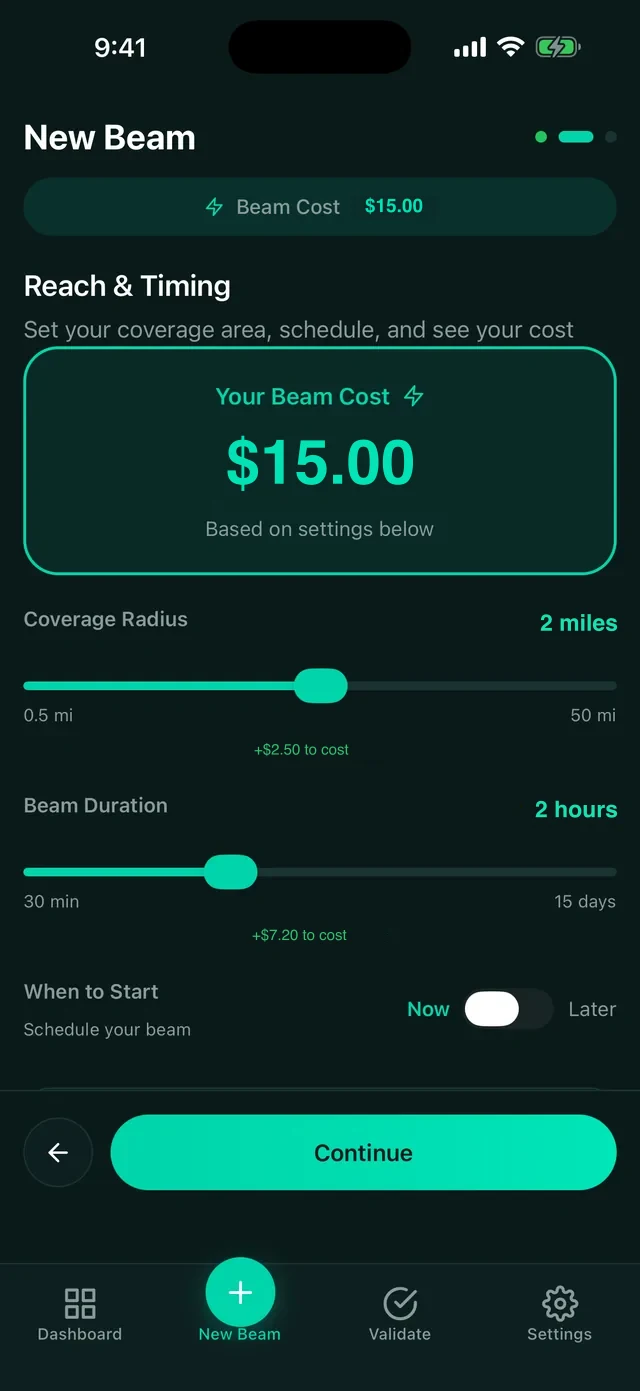
Set how far it goes and how long it runs
Drag the radius to cover your block or your whole neighbourhood. Drag the timer for two hours or all evening. For a Town Beam the price moves as you drag, so you decide before you spend, not after. A beam to your own customers stays free whatever you set.
Start with your customers. It is free, and it tells you fast whether your regulars are listening. Go wider with a Town Beam when you want new faces.

Beam it, and watch it work
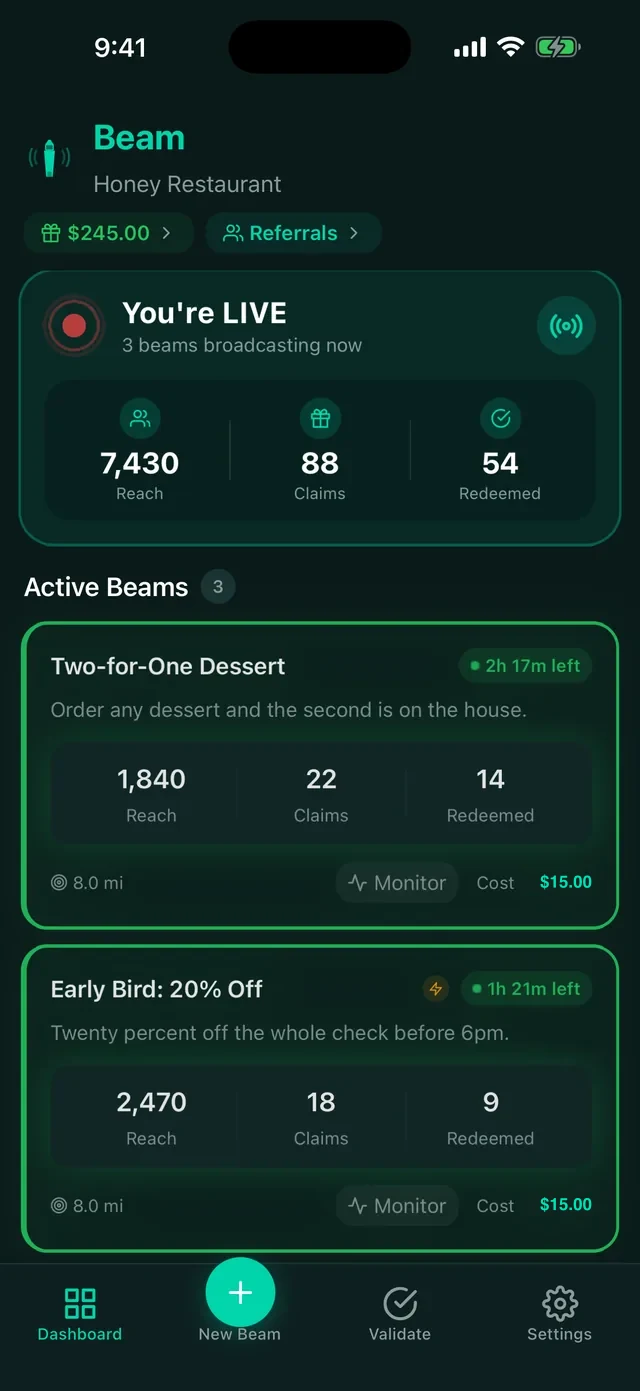
The moment you launch, every Beam user inside your circle can see it. Reach, claims and redemptions climb on your dashboard while it runs, so you know within minutes whether it landed.
Reach is how many saw it. Claims is how many locked it in. Redemptions is how many walked through your door.
Scan them in at the counter
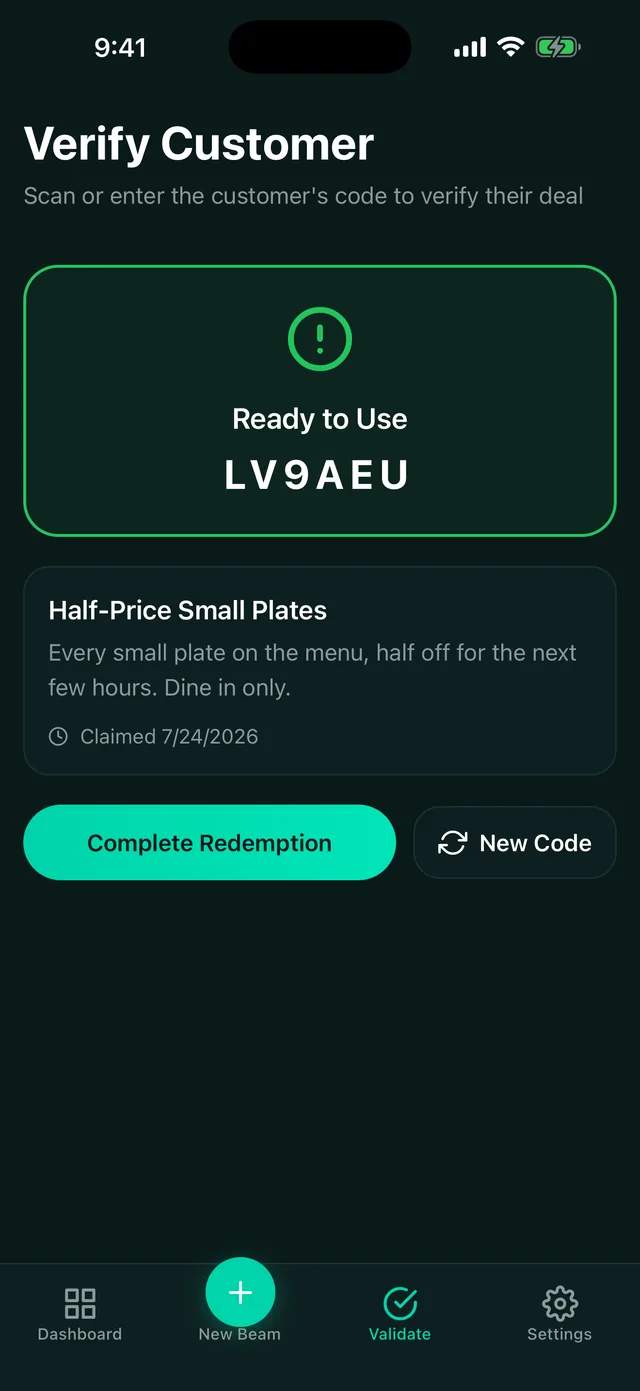
A customer arrives and shows a QR code with six characters under it. Open the Validate tab, tap Scan QR Code, and point the camera at their screen. Their deal comes up as ready to use, you tap to complete it, and the claim is marked used in front of you both.
Screen too dim to scan? Type the six characters into the same screen instead. Same result.
The counter moment, in detail
- Scanning leads, typing is the fallback. The Validate tab opens on a Scan QR Code button because that is what the customer's screen shows first. The six-character field underneath is there for when the camera cannot cope.
- No extra hardware. The phone or tablet already on your counter is the scanner. Nothing to buy, nothing to plug in.
- Three possible answers. Ready to Use means honour the deal and complete the redemption. Already Used means that claim has been redeemed. Expired or Released means the claim lapsed, so ask them to claim it again while the beam is still live.
- One use per claim. Once you complete a redemption, the code is spent and cannot be redeemed a second time, so a passed-around screenshot is worth nothing.
What it costs, in plain terms
- Beaming your own customers is free. One beam a week to up to 25 of your customers on the Free plan; plans from $29 to $499 a month for more beams a week to more of your customers. No contract.
- A Town Beam reaches everyone inside the radius you pick, your customers included, so you never need to send them a separate beam. It costs 7 cents per person it reaches, needs no plan, and the price is on screen before you send. Your first Town Beam is free, so make it a special offer. During the launch test every beam is free.
- Beam takes nothing at your register. Not a percentage, not a per-redemption fee. What the customer spends is yours.
- You choose the discount. Nobody makes you go half price. A free side with any main works too.